LANCommander 2.2.0 Release Candidate 1 Release Notes
LANCommander 2.2.0 is another landmark release that improves upon almost every aspect of the platform, while adding a highly flexible framework underneath the hood. In this release you'll find a complete redesign of the launcher and server, game versioning, game options, a rebuilt script debugger, and bug fixes to the most important components so you can focus on gaming. On top of these improvements come a number of new features like built-in game packaging, match statistic collection, webhooks, and a fully feature plugin framework. This is the first release candidate and represents the last stages of development before a full release.
Breaking Changes
Steam Integration Moved to a Plugin
Steam support has been removed from the core server and launcher. That covers integration SteamCMD on the server, Steam lobbies in the launcher, and the Steam media grabber. All of it now lives in the official LANCommander.Plugins.Steam plugin. If you rely on SteamCMD or Steam lobbies, install the Steam plugin after upgrading. This plugin lives in a separate GitHub repository, so any issues or bugs should be submitted there.
Docker Server Engine Moved to a Plugin
The built-in Docker server engine has been removed and is now provided by the official LANCommander.Plugins.Docker plugin, which is built on the new server engine contracts. Servers that use Docker containers need this plugin installed to keep working. The code for this plugin lives in a separate GitHub repository, so any issues or bugs should be submitted there.
Action Types Replace the "Primary" Flag
The Primary switch on actions has been replaced by a Type field. Existing actions are migrated automatically, and manifests written by earlier versions are still read correctly, so older LCX packages import as before. See Action Types for what the new types add.
Game Types
The "Standalone Expansion" and "Standalone Mod" game types have been replaced by two new fields, Install To and Show in Library. Existing games are converted automatically. See Games for the full mapping.
Standalone Packager Removed
The standalone LANCommander Packager application introduced in 2.1.0 is gone. Its functionality now lives in the launcher. See Packaging in the Launcher.
Plugins
2.2.0 introduces a plugin framework for both the server and the launcher. A plugin is a .NET class library that is discovered from the Plugins folder at startup, loaded into its own isolated load context, and can register services and hook into the host. A plugin that fails during loading or initialization is logged and skipped instead of taking the host down with it.
Plugins can extend a long list of areas, including:
- Server UI: routable pages, navigation entries placed at specific points in menus, and sections in the profile sidebar. Plugin pages are administrator-only unless the plugin explicitly opens them up.
- Launcher UI: pages, settings sections, game detail tabs, context menu items, footer widgets, and sections in the new game Manage dialog.
- Metadata: metadata providers and media grabbers.
- Server engines: custom engines, engine settings, consoles, and file access for game servers.
- Data: plugins can store settings without doing their own file I/O, and can bring their own database context with migrations for SQLite, PostgreSQL, and MySQL. Each plugin is confined to its own tables.
- Packages: game export and import, including importing plugin-generated LCX packages through the server's normal import pipeline.
- Scheduling and events: recurring jobs and an event bus for reacting to things that happen on the server.
- Scripting: custom PowerShell cmdlets and modules.
Installing Plugins
Plugins can be installed from a .nupkg file or directly from a NuGet feed under the server's plugin settings. Installs are staged in Plugins/.staging and applied on the next restart, and each plugin keeps its data in Plugins/{PluginId}/Data.
Launcher Plugins
The server now hosts a small NuGet registry for launcher plugins. Admins can cache launcher plugins on the server, and launchers can then install them from there. Plugins marked as required are installed on every connected launcher automatically. The rest are offered to users as optional.
Documentation
Plugin development is documented in the new Plugins section, which covers getting started, the extension points, and an API reference generated directly from source.
For the developers out there, guidelines on building and distributing plugins are still a work-in-progress. An effort is being made to create a sort of "official unofficial" collection of community plugins that will be listed directly in the server's UI.
Official Plugins
Alongside the core framework, several official plugins are published under the LANCommander.Plugins.* package IDs. These include Steam and Docker (both moved out of core, see above) and GOG.
Game Versioning
Games now have versions. A version groups the archive with its own redistributables, redistributable options, and game options. Versions are created and selected from the header of the game editor. Game versions can exist as drafts and will only show up in the depot / launcher if marked as published.
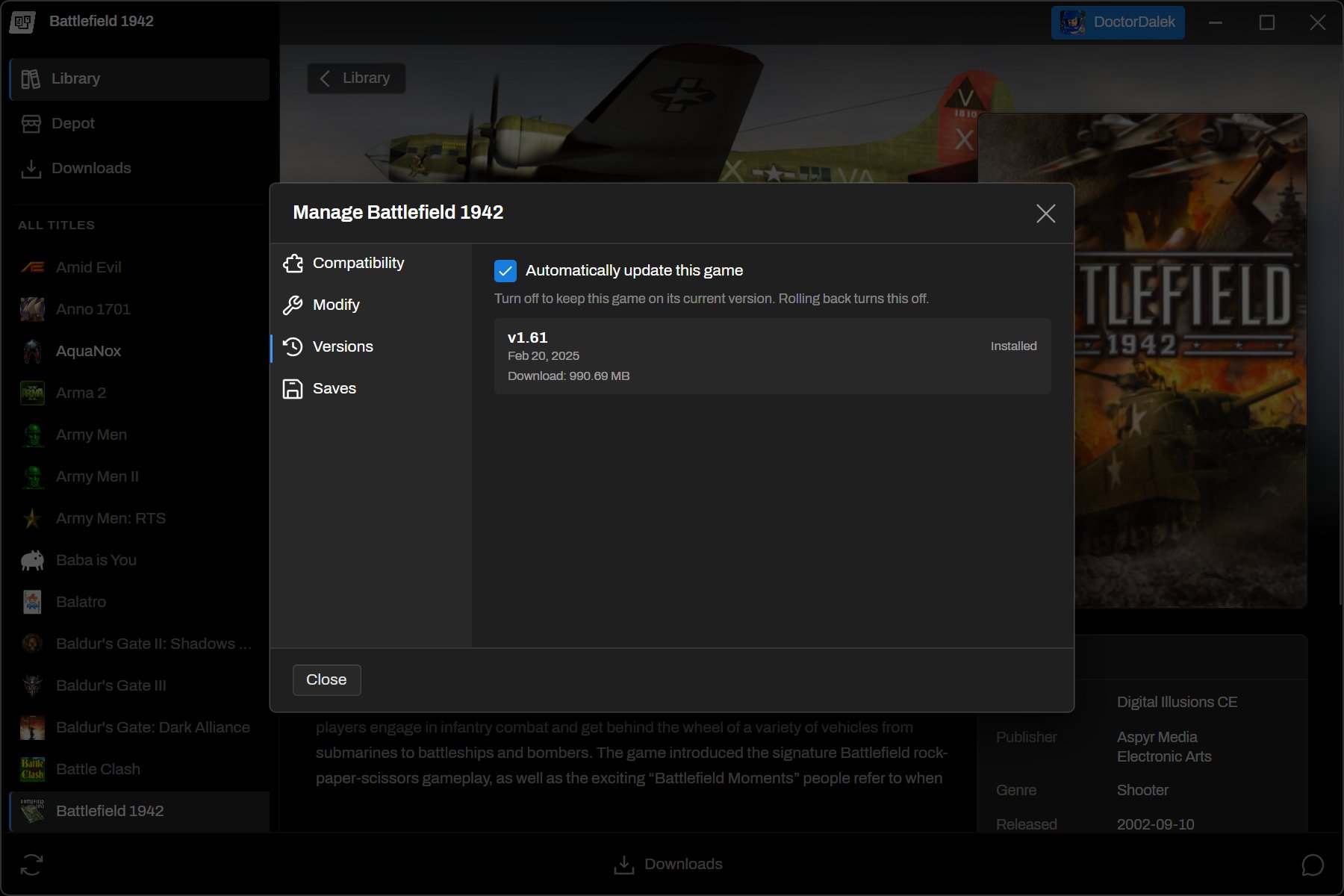
In the launcher, players can switch between versions from the game's Manage dialog. Version switches and updates go through the download queue like any other install. The launcher can also update games automatically when a new version is published.
Game Options
Games can now define an option schema, similar to the one redistributables gained in 2.1.0. Players fill in those options from the launcher, and scripts can read the values with the new Get-GameOptions cmdlet. This makes it possible to expose things like resolution, language, or a player-facing config switch without editing scripts for each player.
Launcher
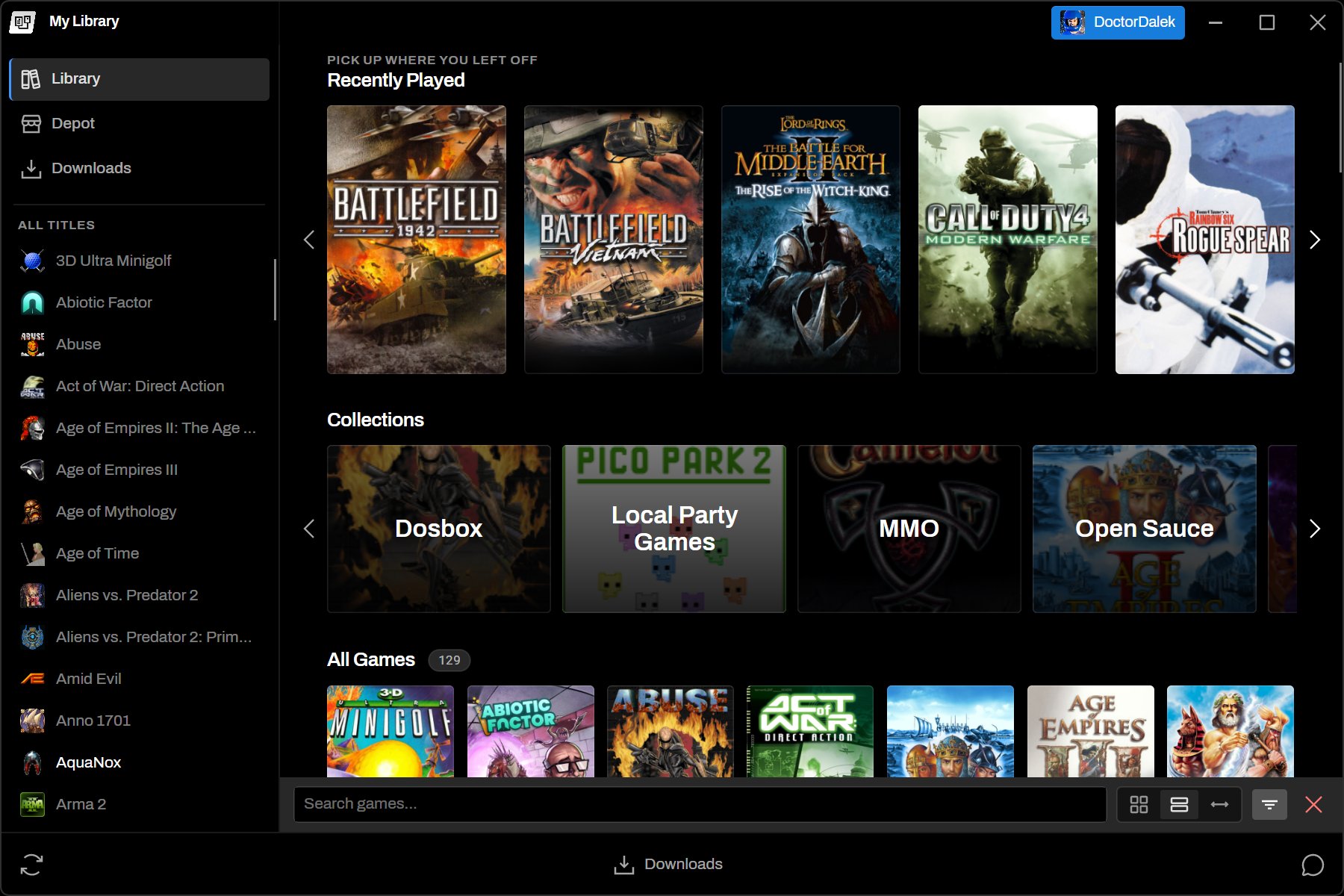
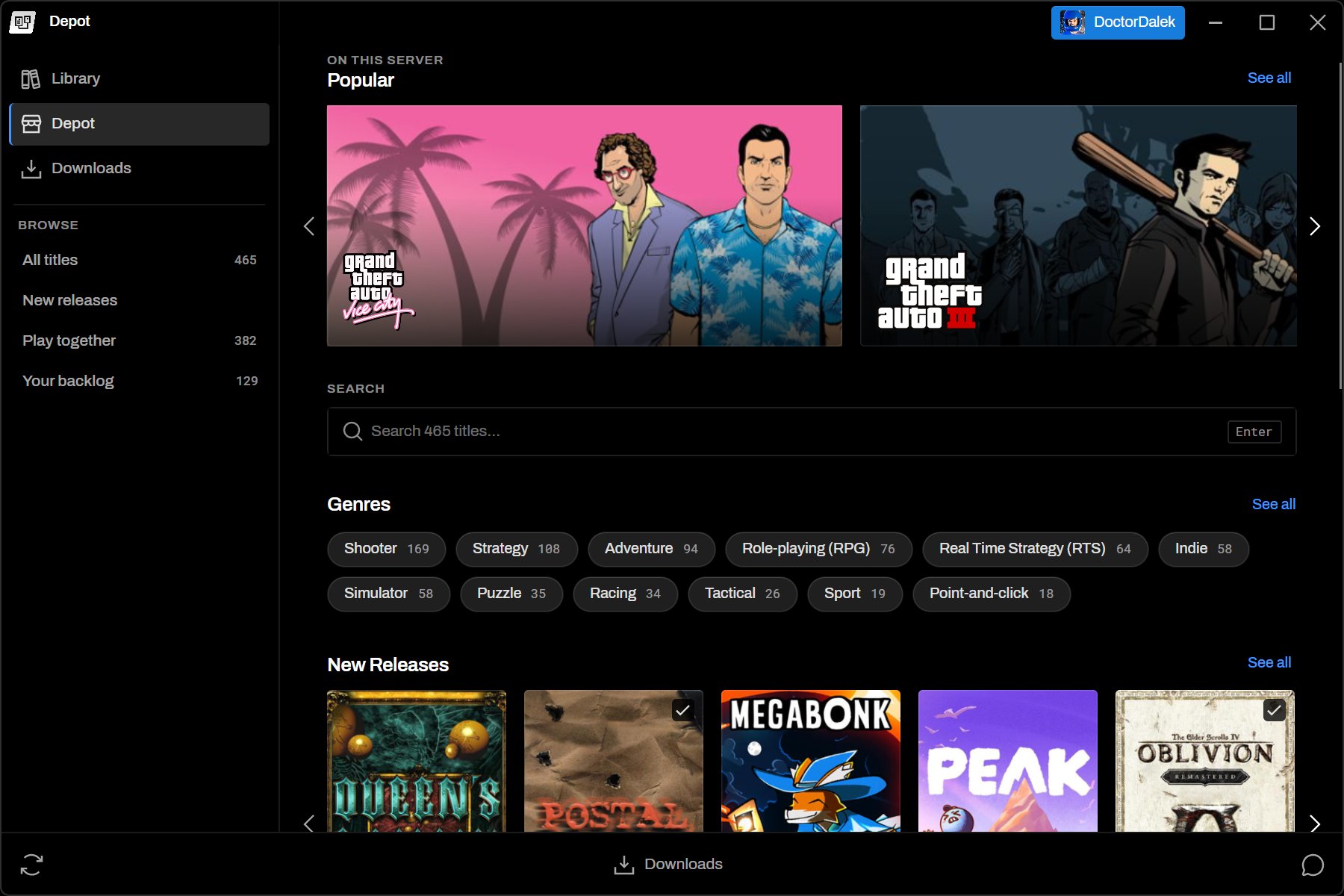
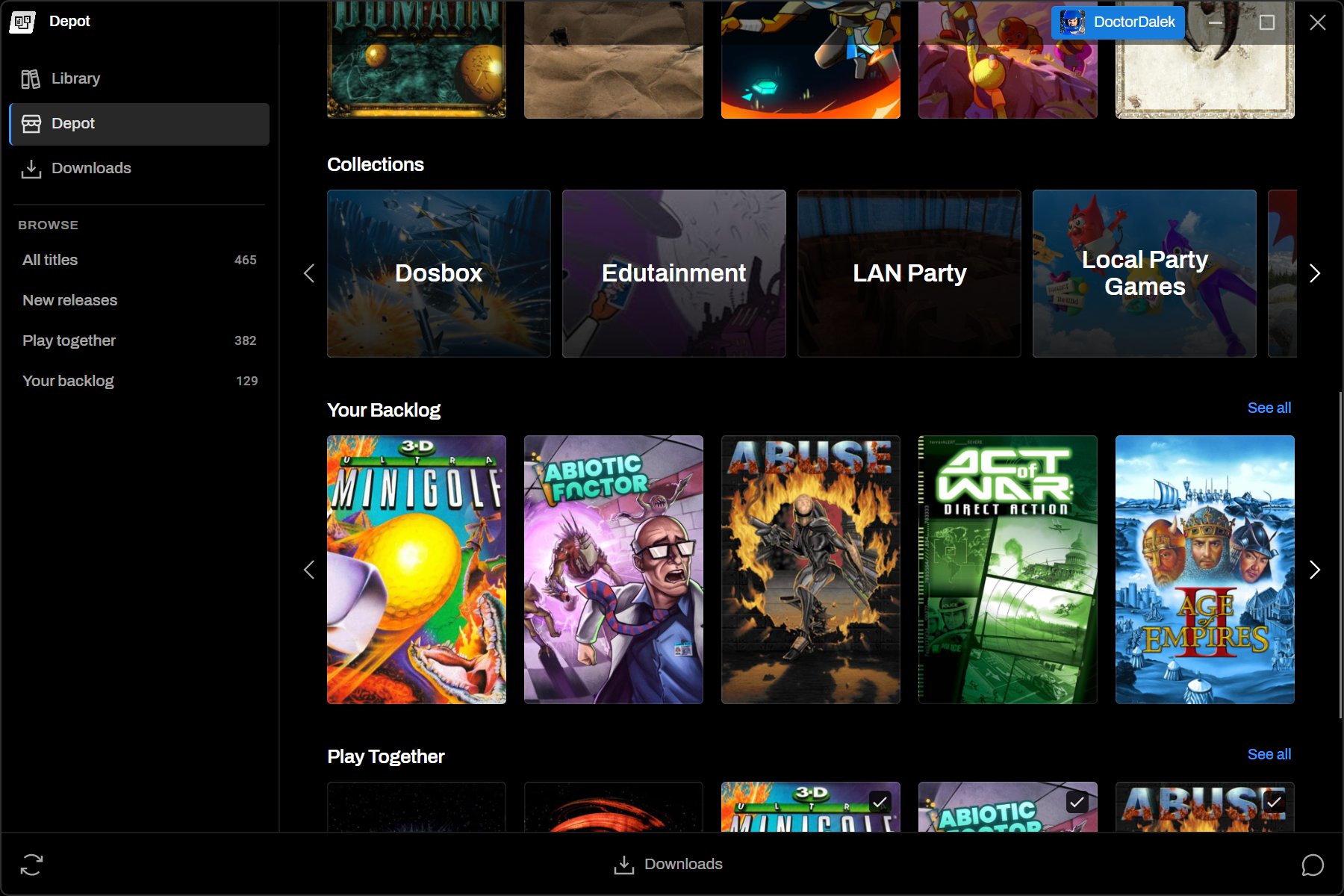
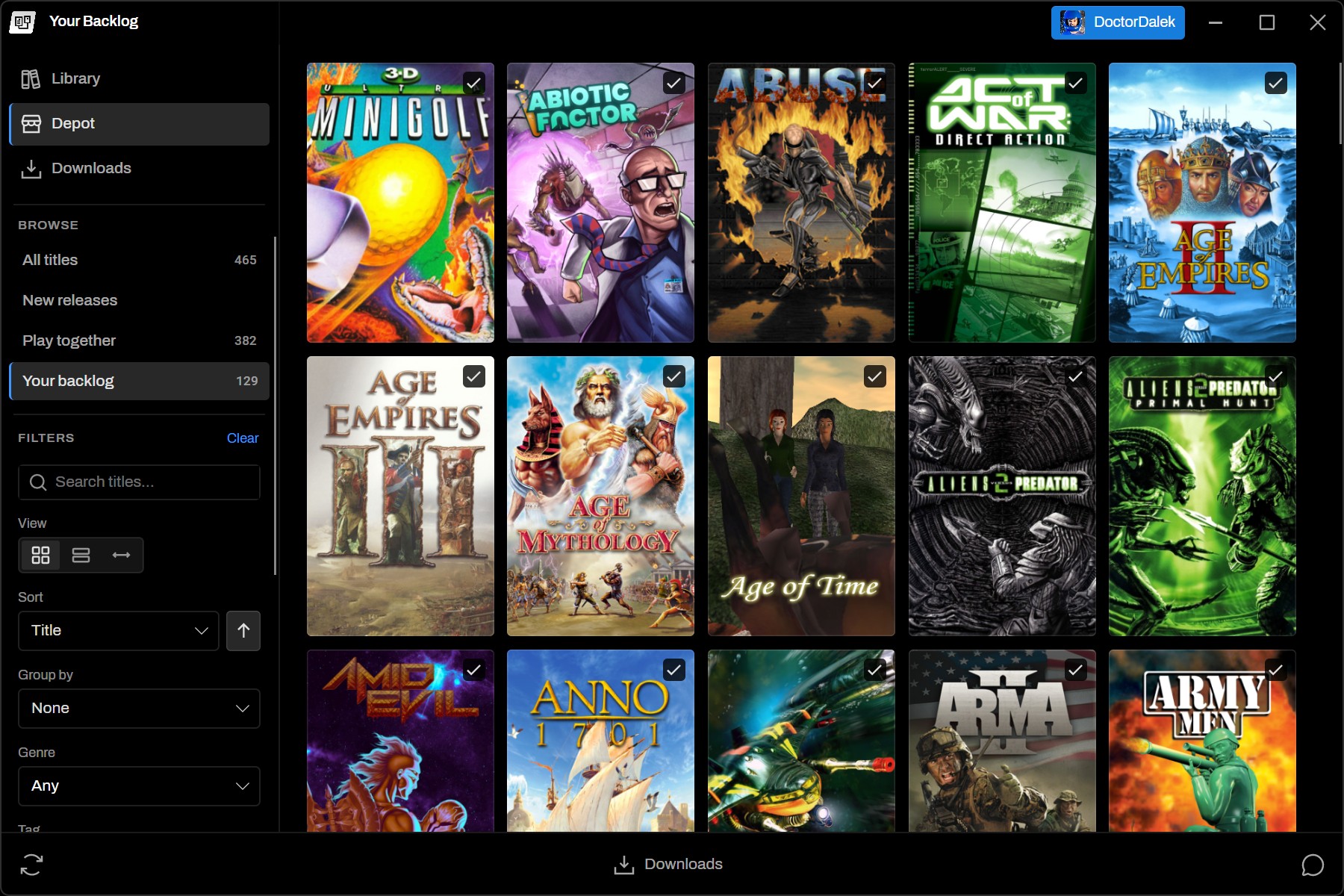
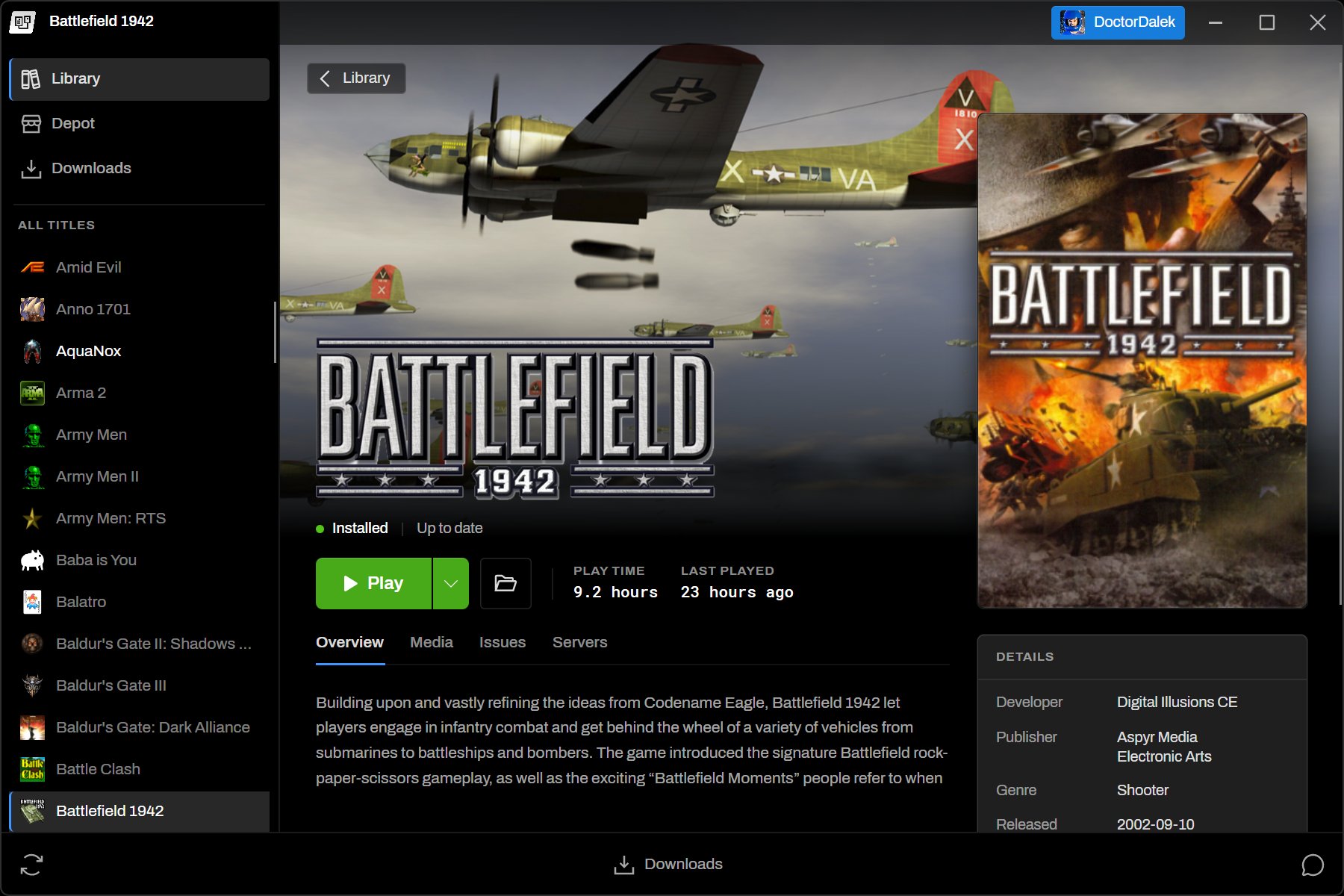
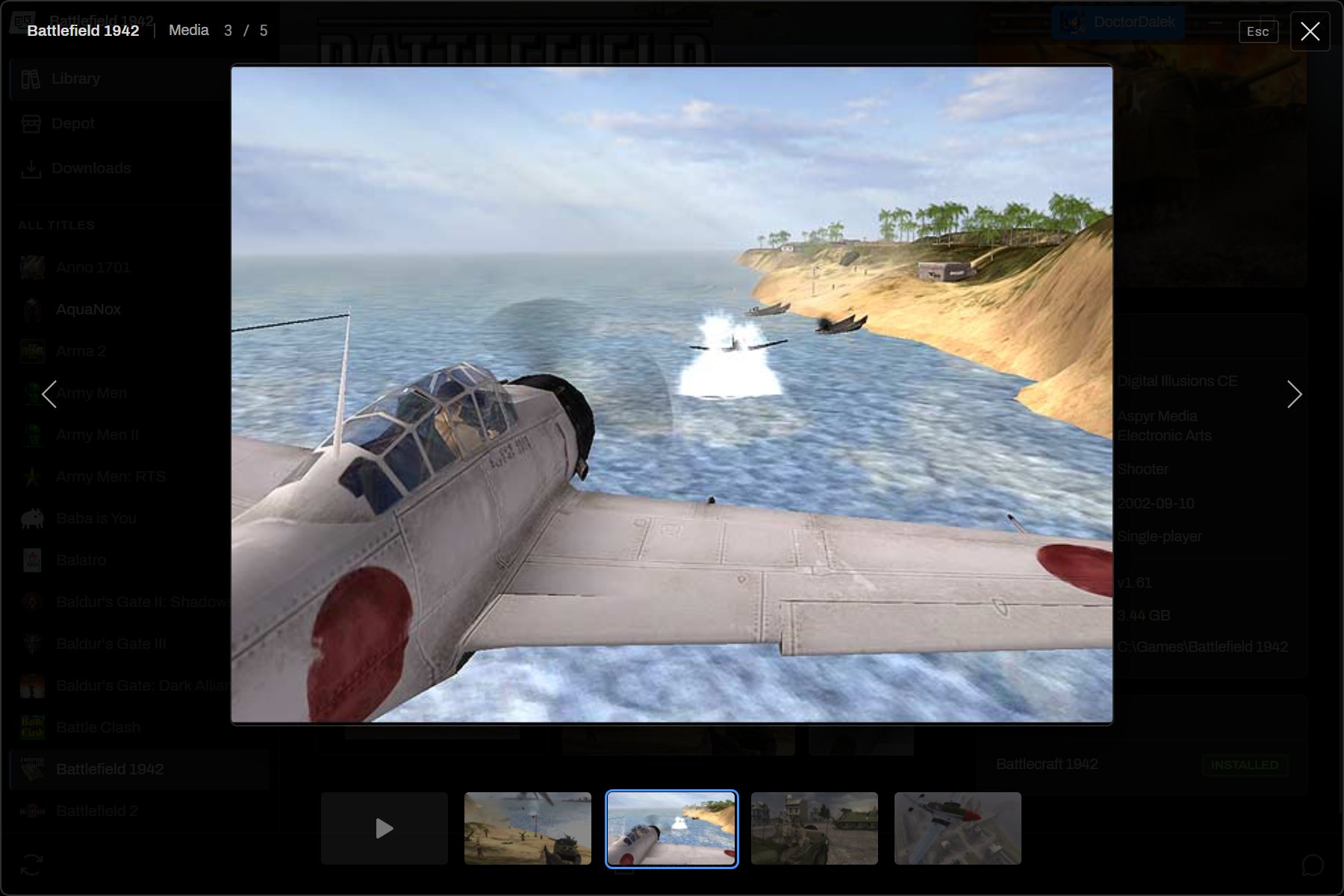
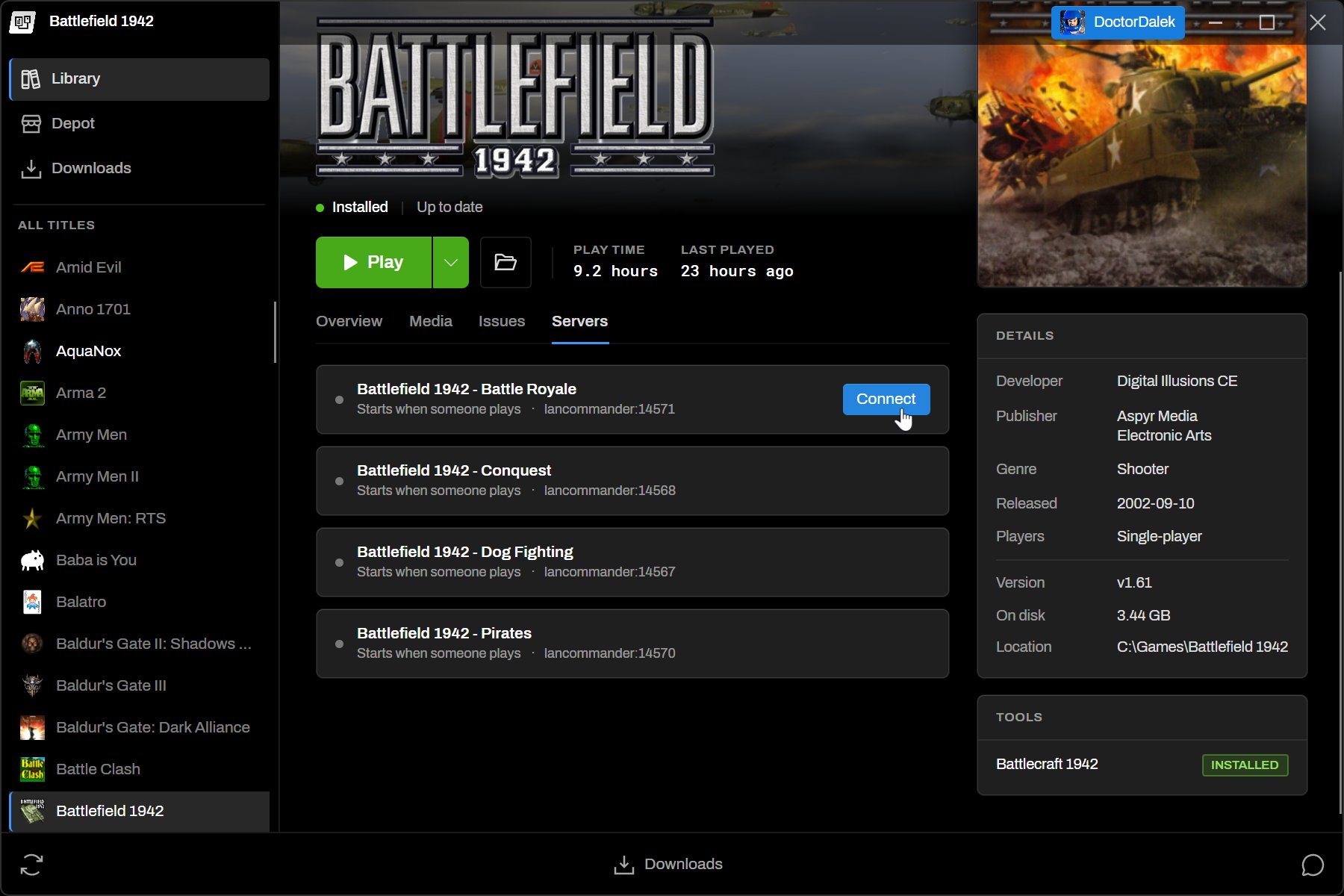
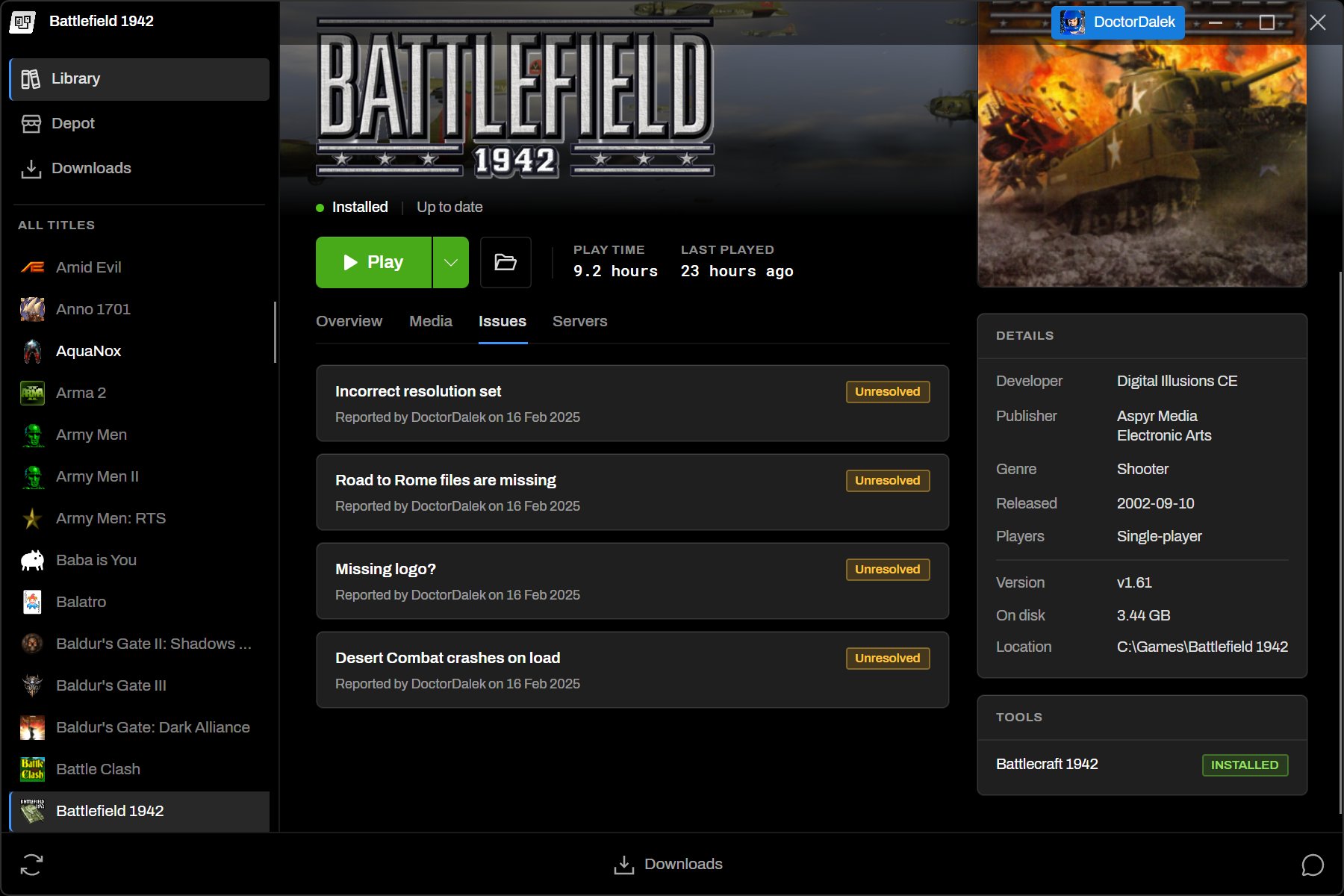
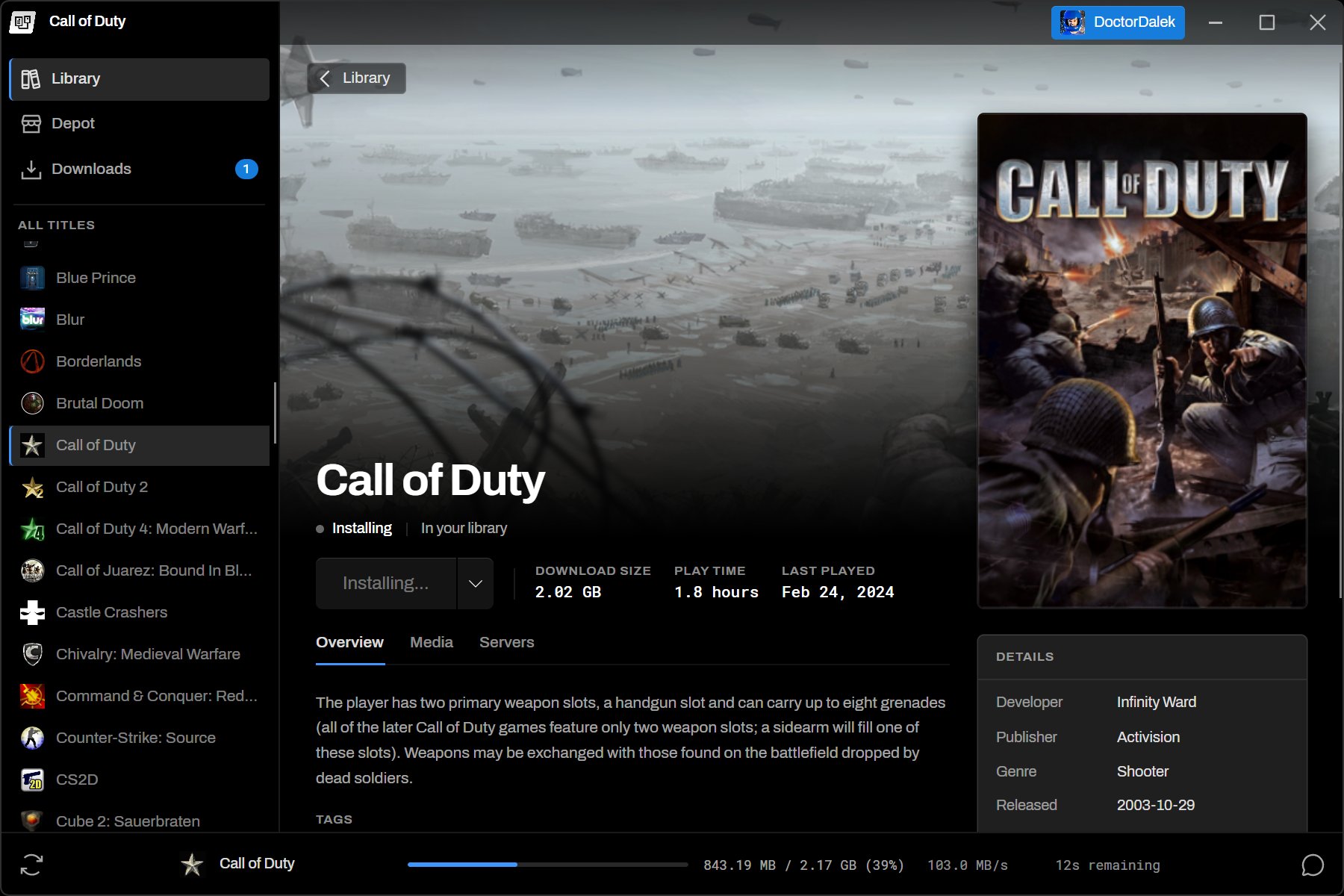
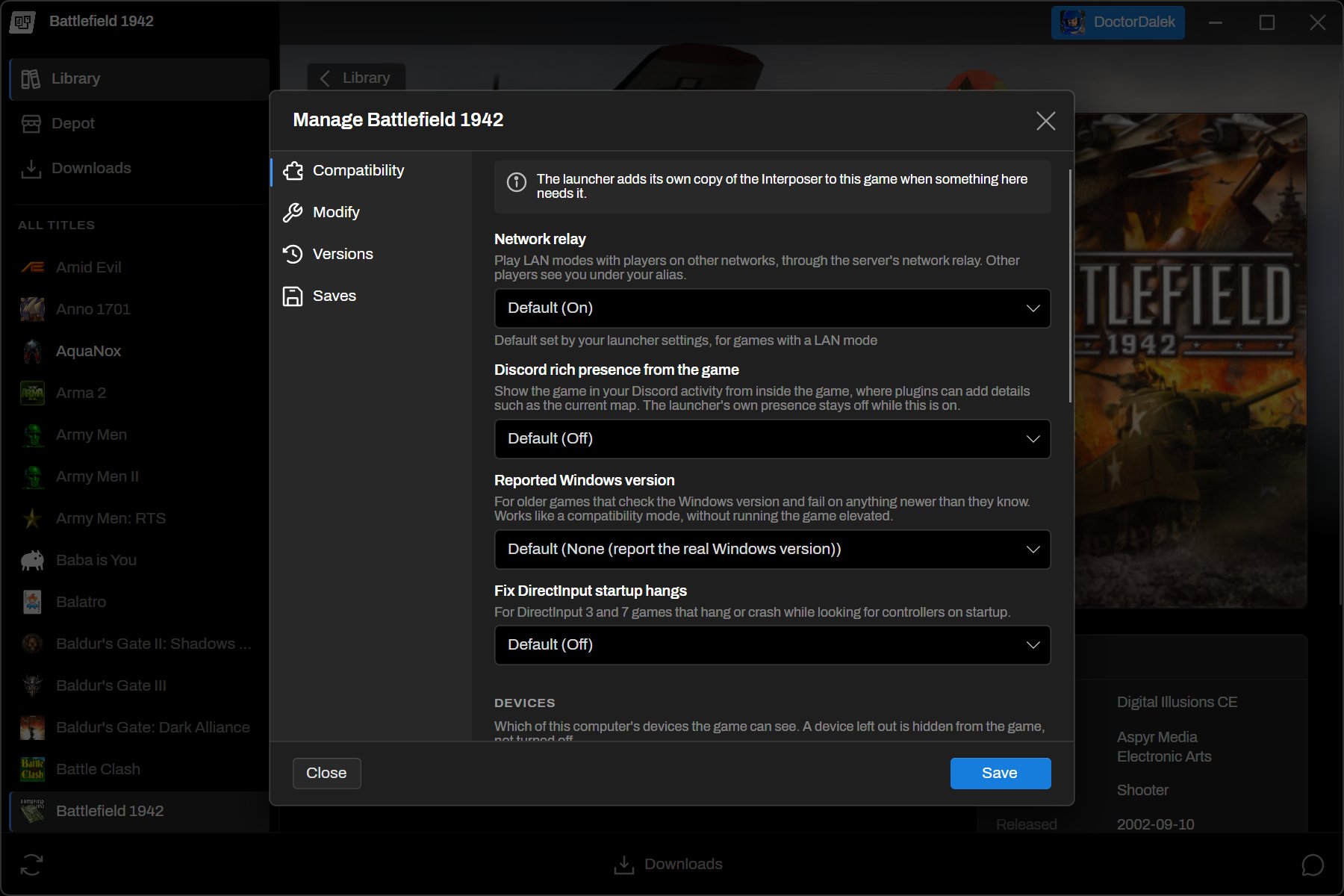
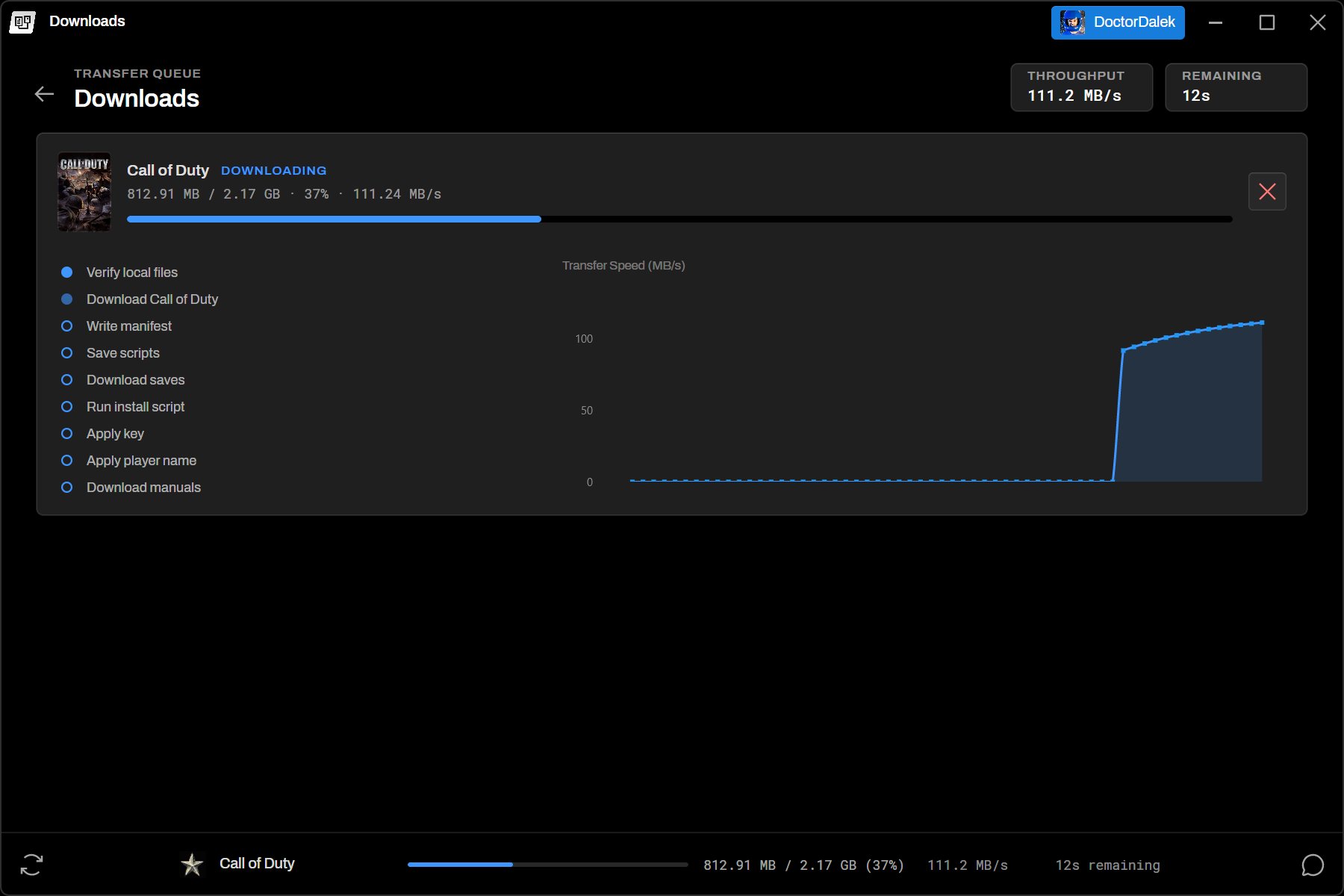
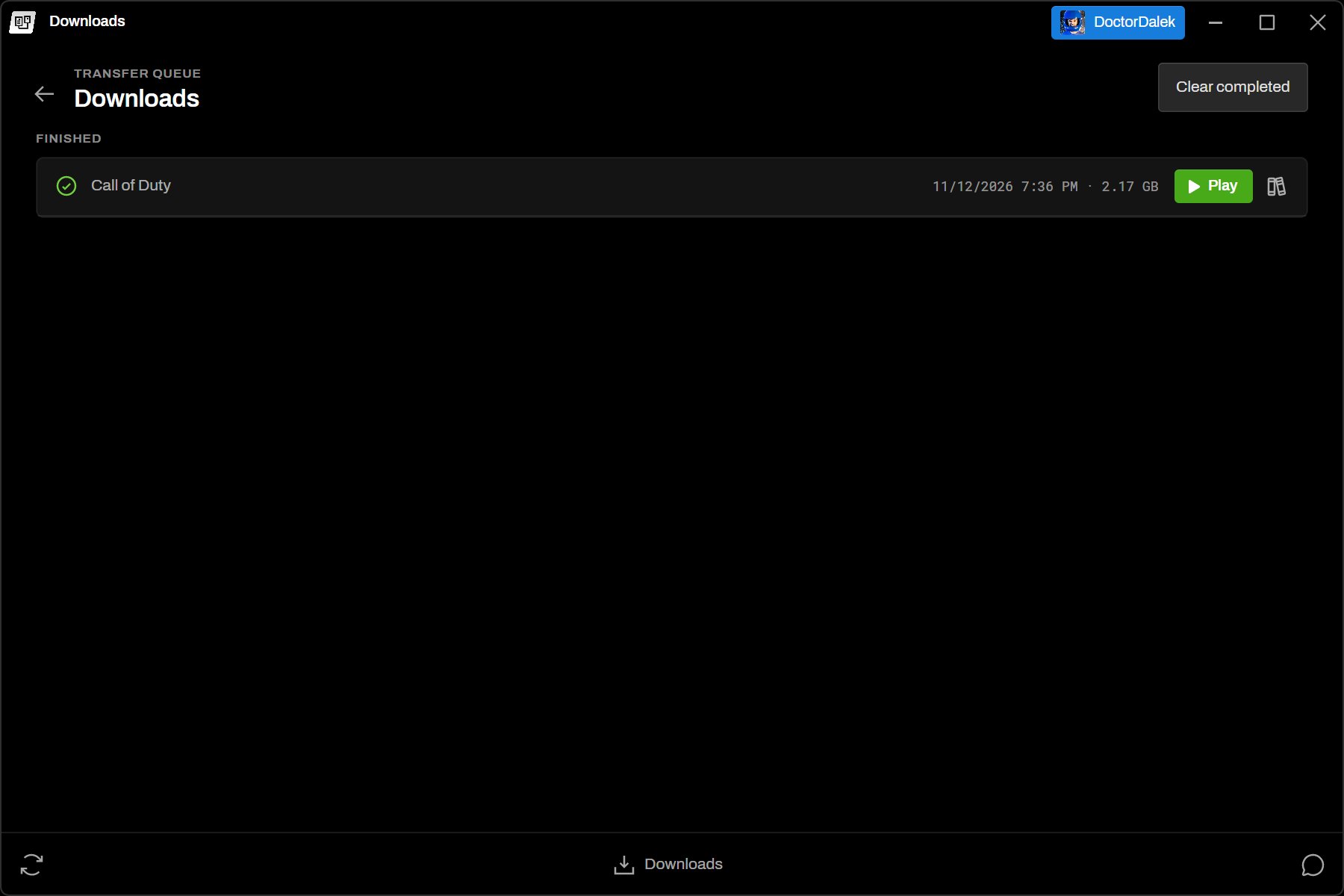
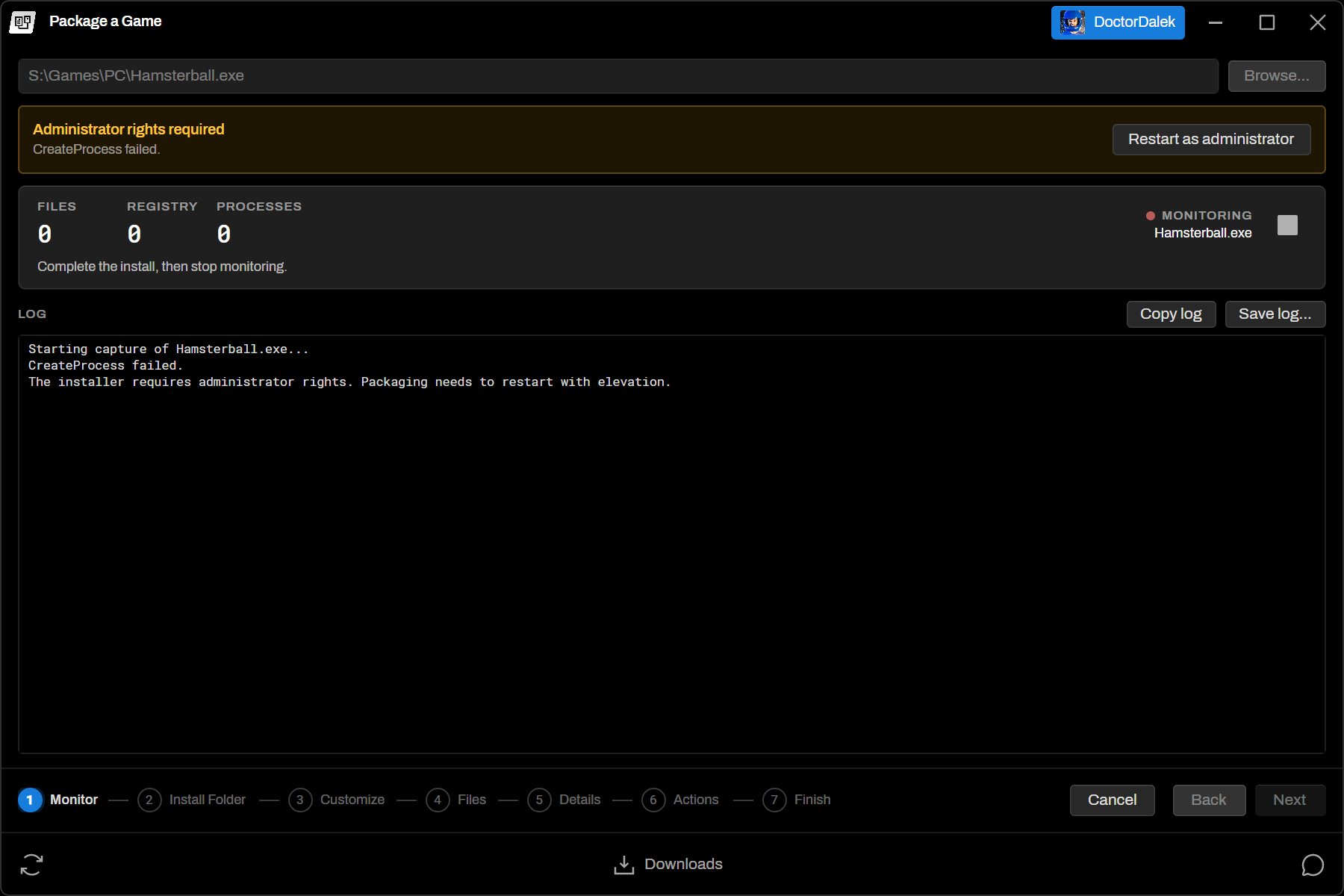
The redesigned library with the always-present left rail
Unified Design
The launcher has had a full redesign in order to mature and establish a uniform style. As always, getting quick access to your games and bringing art to the forefront was of the upmost concern. The left rail is now always shown and contains navigation to the library and depot, carousels are now shown in the Library to show you recently played games or your collections, and the game details view has been reworked to give the best look at your game's rich metadata. Big picture mode has also gained status bar items for battery, volume, and time.
Manage Dialog
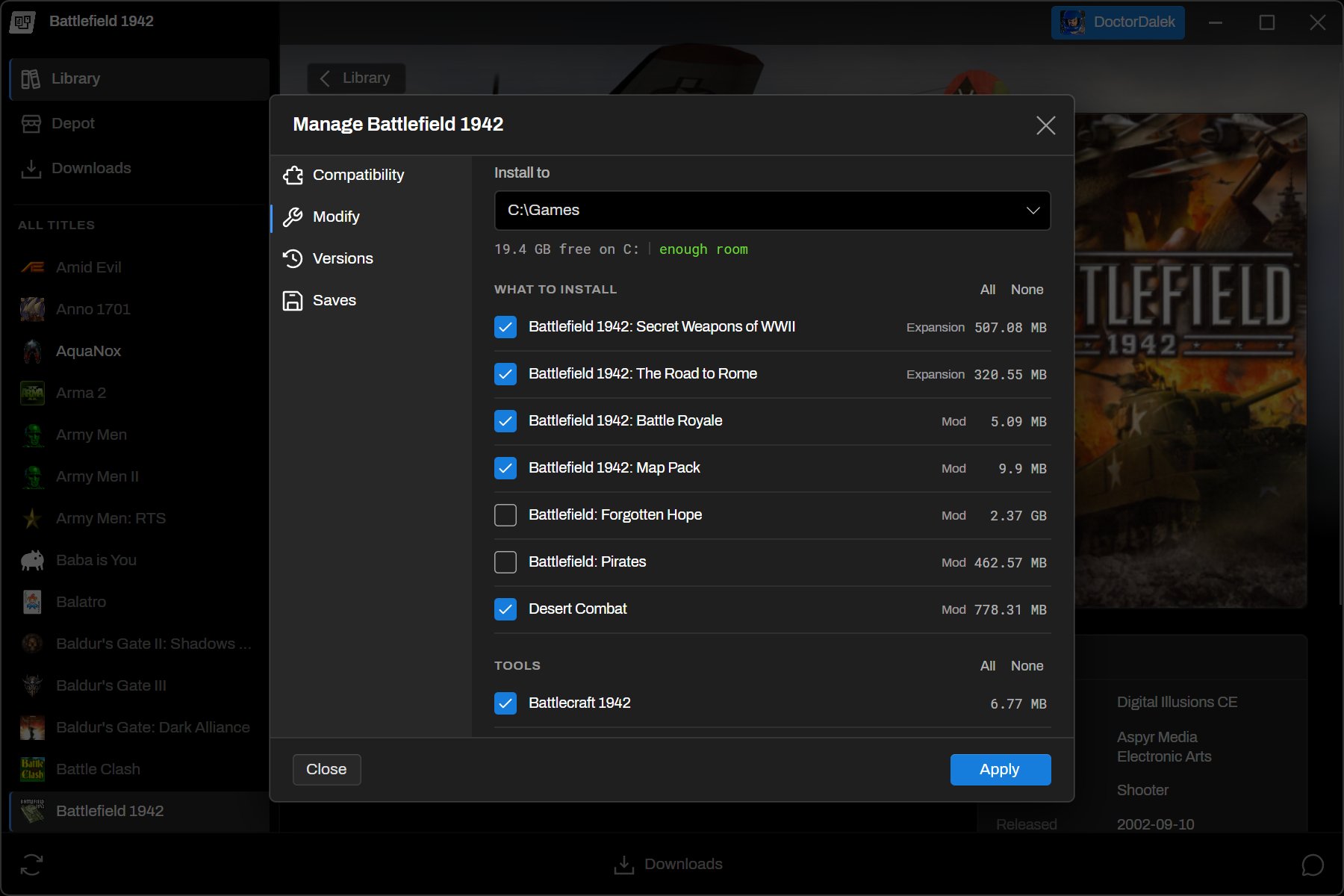
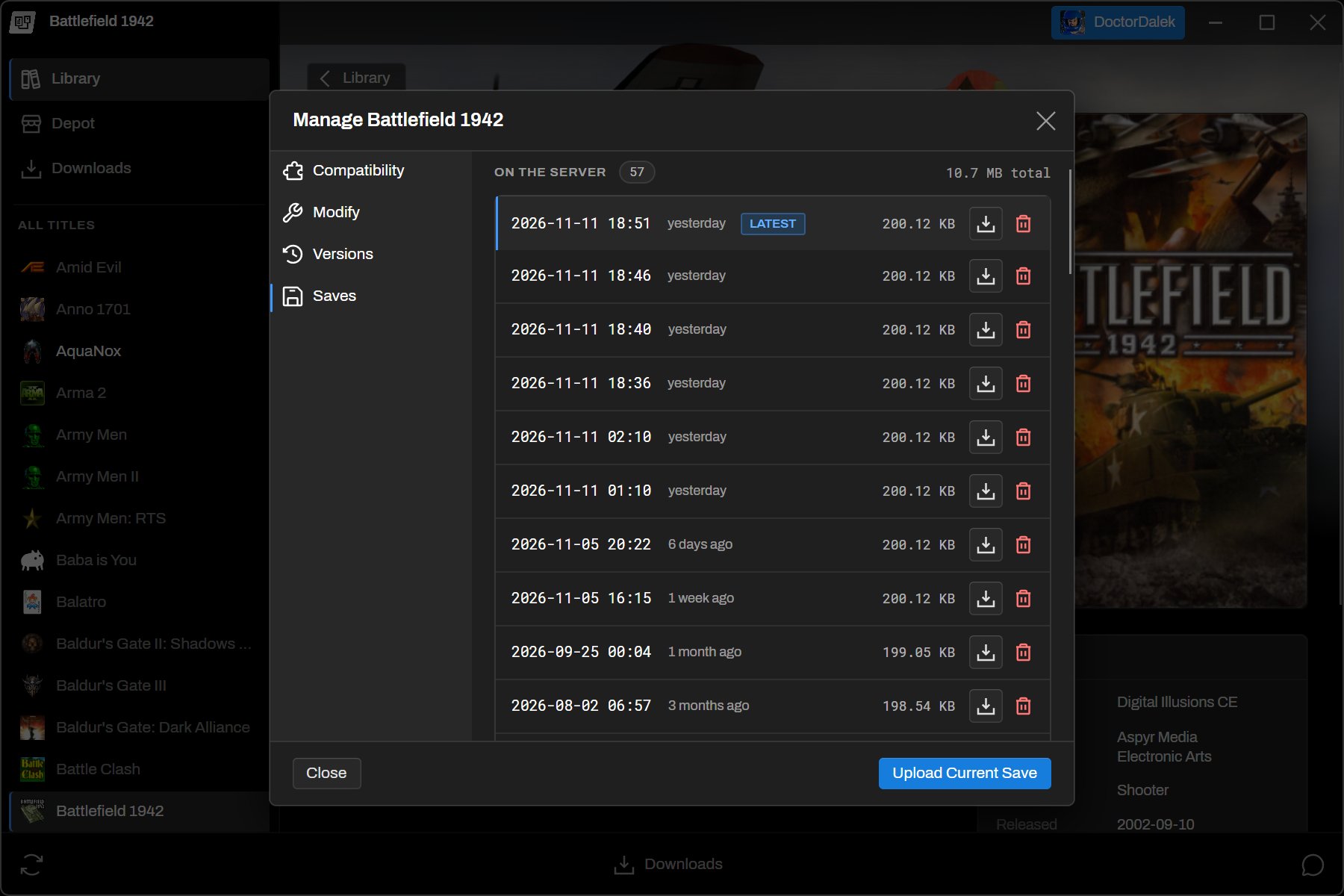
Game options, versions, install options, and save management have moved into a new Manage dialog on each game. Plugins can add their own sections to it, and per-game Interposer settings live here as well.
Packaging in the Launcher
The separate packaging application is gone and has been integrated directly into the launcher. Authenticated admins can now package games from the launcher with some improvements:
- Monitoring runs in separate 32-bit and 64-bit worker processes, so installers that spawn children of either bitness are captured into one change set.
- Elevated installers are tracked properly. When an installer needs administrator rights, the launcher offers to restart the capture elevated and raises a desktop notification, since the installer's own consent dialog is usually covering the launcher.
- Install directory detection has been improved and uses the common ancestor of every file written.
- A new Additional Changes step baselines the install folder after the installer finishes, so no-CD patches, widescreen fixes, config edits, and mods can be captured too.
See the Packaging documentation and the Wizard Walkthrough for details.
Script Debugger
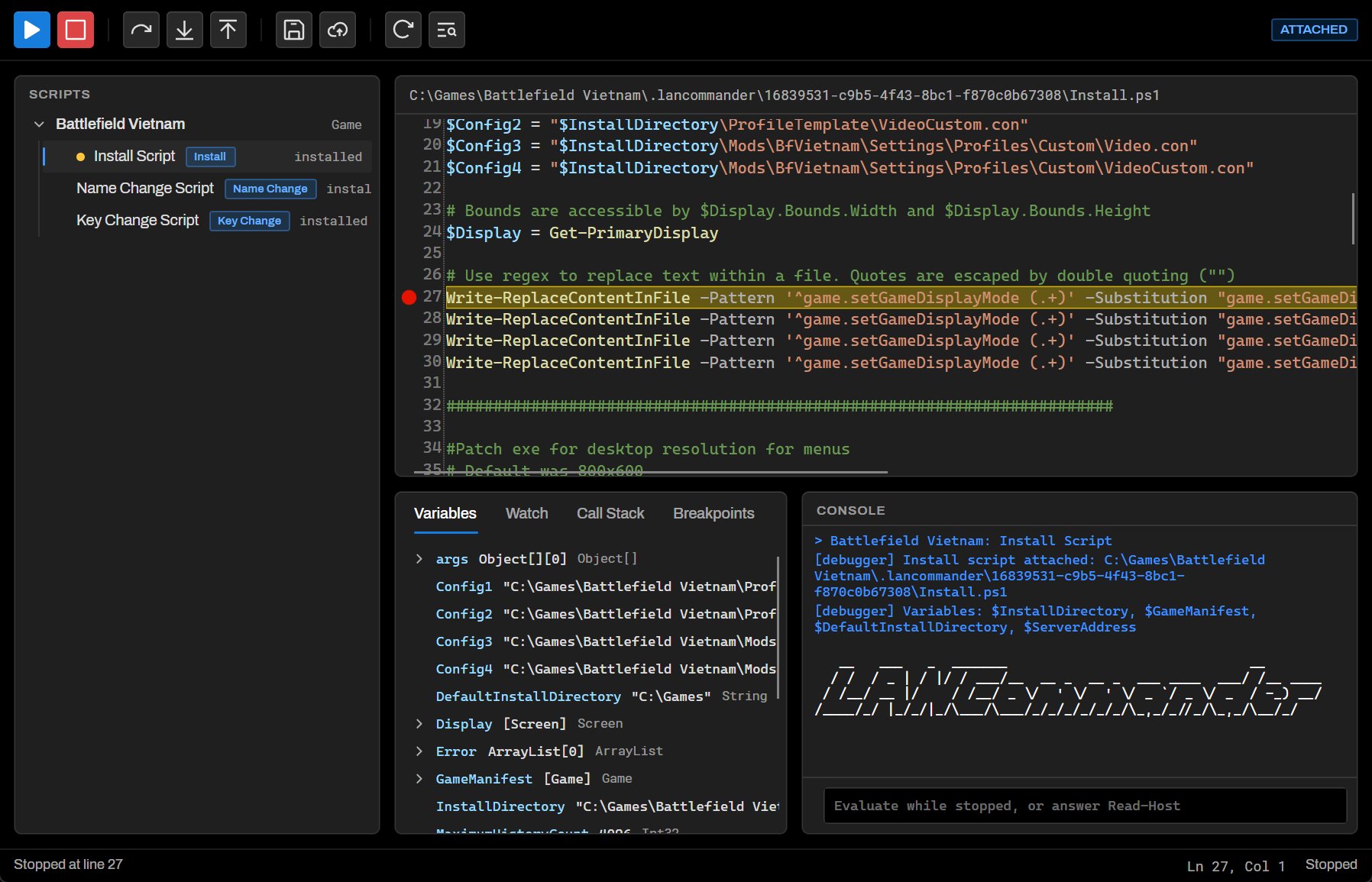
The launcher now includes a comprehensive, fully featured script debugger. Scripts can be stepped through with breakpoints and inspected variables. Since LANCommander utilizes PowerShell under the hood for its scripting engine, script debugging now feels like it was pulled directly from an enterprise-level IDE.
Presence
The launcher now shows who is playing what. While someone is in a game, their name is highlighted in chat and they appear under Playing Now on the game's page. Hovering over their name shows the game, its icon, and how long they've been playing. Games run through the LANCommander Interposer can report more detail, such as the map, score, or party size with the appropriate game patch. Players control what they share from Activity Status in the menu under their name. This rich presence is also reported to Discord, if you're into that sort of thing.
Interposer
LANCommander Interposer injection and its options can now be configured from within the launcher, per game, from the Manage dialog. The launcher also supports Interposer Relay, and launcher plugins can register their own endpoints.
Action Types and App Links
Actions now have a Type rather than a Primary flag. Alongside Primary and Secondary, two new types are available:
- Config actions are for things like a game's configuration executable.
- Join actions define the arguments a game needs to join a specific server, lobby, or host directly.
A new Servers tab on a game's details lists its servers. The lancommander:// app scheme has been expanded so links can start a game or join a server directly, e.g. lancommander://game/{GameId}/play or lancommander://game/{GameId}/join?ServerHost=.... Link parameters are filled into the {Name} placeholders of the action's arguments.
Performance
Progress bars and spinners no longer animate when they aren't visible, which cuts CPU and GPU usage while idle. Animated covers pause when not focused or hovered, bitmaps are disposed on navigation, and launcher builds ship a trimmed-down copy of VLC.
Server
Radzen UI
The server UI has been moved from AntDesign to Radzen, along with a design refresh across the application. The dashboard now shows more information about your server, games have gained more complex filtering, the script editor has been refined and adds a few extra features, and pages have leveled up a bit with better CMS-like functionality.
Global Variables
Scripts can now use global variables defined on the server under Scripting > Variables (#301). They are available in the PowerShell runspace and are offered as completions in the script editor.
Match Statistics
The server can now record what happens in multiplayer matches, including events, results, per-player statistics, and attachments such as demos or logs. Players are linked to LANCommander users wherever the server can identify them. How far reported data is trusted depends on the account that reports it. Administrators and plugins are authoritative, and player clients are limited. The data is exposed through a JSON API, which tools such as Grafana can query, and through plugin interfaces. Match statistics can be configured in settings and viewed in a panel on each server. See Match Statistics for details.
Webhooks
Server events can now be delivered to outbound webhooks under Settings > Integrations > Webhooks. Each webhook can subscribe to specific events and have its own timeout and retry limits. Signing with a shared secret is optional. Webhook editors show a preview of each event's payload, can send a test delivery, and keep a delivery history with the exact JSON that was sent. Events cover games, versions, redistributables, tools, servers, media, libraries, saves, keys, authentication, and presence. See Webhooks for details.
Personal Access Tokens
Users can now create personal access tokens from their profile, limited to specific scopes such as reading or reporting matches. A dedicated game server reporting match statistics, for example, should use a token owned by an administrator and limited to Report matches.
Server File Manager
Game servers now have a file manager and editor. The underlying contract is also exposed to plugins, so plugin-provided engines such as Docker can supply their own file access.
LANCommander HQ
- Redistributables can now be imported from LANCommander HQ through its authenticated package registry (#466).
- The duplicate HQ provider dropdown has been removed, and the provider dropdown now supports selecting multiple providers.
- A new button downloads art automatically.
- When HQ media can't be downloaded through HQ, the server falls back to downloading it from the original source.
Issues
Reporting issues via the launcher has been restored, and issues now support titles, pinning, and attachments.
Pages
Pages have had a round of fixes and new features. They can now embed content, have a preview toggle, search, and some appearance customization. Parent pages can have their own content, and pages can link to games, redistributables, and servers. Deleting a parent page now warns how many child pages it will remove.
Importing and Exporting
Importing has been reworked to handle versions, and various issues with importing certain records have been fixed.
Contributions
This release includes contributions from the following community members:
@aaronpowell | PRs #469, #475, #480: Plugin Integration
Aaron filled out much of the server side of the plugin framework. #469 added route and navigation extensions, direct LCX package imports through the server's existing import pipeline, and a streaming LCX builder. It also closed a gap where plugin pages without an [Authorize] attribute could be reached anonymously. Plugin routes are now authorized by the server and default to administrators only. #475 added metadata lookup and version redistributable contracts so plugins no longer need to reference server internals. #480 gave plugins cancellable, host-routed access to game server files.
@aaronpowell | PR #483: Server Events and Webhooks Added the pluggable server event system and outbound webhooks, followed by management pages, payload previews, test deliveries, optional signing, and formatted delivery history.
@aaronpowell | PR #476: Release Version Synchronization Centralized the .NET version properties and added release automation that keeps checked-in versions aligned with release tags. It validates SemVer and assembly versions, protects against downgrades, and is safe to re-run.
@aaronpowell | PR #451: Incremental Frontend Builds Proposed skipping the frontend build steps when their inputs haven't changed. It was adapted into the codebase in #482, which cut a no-op server UI build from about 15.5 seconds to about 3.5.
@celinhodaltro | PR #477: PCGamingWiki UTC Release Dates Fixed release dates from PCGamingWiki being parsed in local time rather than UTC.
Changelog
Launcher
- Added: Game versioning with version switching, updates through the download queue, and automatic updates
- Added: Game options overlay
- Added: Game Manage dialog for options, versions, install options, saves, and plugin sections
- Added: Packaging wizard built into the launcher
- Added: Additional Changes packaging step for capturing patches and mods after install
- Added: Desktop notification when packaging needs administrator rights
- Added: Script debugger with breakpoints and support for elevated scripts
- Added: User presence in chat and game details with activity status privacy settings
- Added: Interposer injection and per-game options
- Added: Interposer relay support
- Added: Launcher plugins, including plugins installed from the server
- Added: "Servers" tab in game details
- Added: Config and Join action types
- Added: Expanded
lancommander://app scheme for playing games and joining servers - Added: Big picture status bar items for battery, volume, and time
- Added: Browse button for path settings
- Added: Placeholder background for "Popular" cards in the Depot
- Added: Cmdlet for getting local game details from the launcher
- Added:
Get-GameOptionscmdlet - Changed: Unified design across library, depot, game details, dialogs, and packaging
- Changed: Left rail is always shown on Library and Depot
- Changed: Refresh button moved to the footer bar
- Changed: Redesigned install options dialog
- Changed: Removed the "..." button from the game action bar
- Changed: Filled play icons
- Changed: Higher-quality images
- Changed: Packaging workers and Interposer libraries are loaded from
Data/Libraries - Changed: Trimmed down VLC in launcher builds
- Changed: Progress bars and spinners don't animate when hidden
- Changed: Animated covers pause when not focused or hovered
- Changed: Bitmaps are disposed on navigation
- Changed: Expanded "Verify Files"
- Fixed: Tracking of elevated installers during packaging
- Fixed: Install directory detection during packaging
- Fixed: Delay waiting for the monitor to stop when an installer closes
- Fixed: Download queue looking stuck after an install
- Fixed: Progress bar when verifying files
- Fixed: Animated covers
- Fixed: Duplicate results in the depot
- Fixed: Carousel behavior and the game details media carousel
- Fixed: Cover clipping and library list spacing
- Fixed: Footer text bouncing around during downloads
- Fixed: MAC address detection now uses the network adapter that actually reaches the server
- Removed: Steam lobbies (now in the Steam plugin)
Server
- Added: Plugin framework with server UI, metadata, server engine, data, package, job, event, and scripting extension points
- Added: Plugin installation from
.nupkgfiles and NuGet feeds - Added: NuGet registry for launcher plugins with optional and required installs
- Added: Game versions with their own redistributables, redistributable options, and game options
- Added: Game option schemas
- Added: "Install To" and "Show in Library" fields for games
- Added: Global script variables
- Added: Match statistics with API, settings, and server panel
- Added: Server events and outbound webhooks
- Added: Personal access tokens
- Added: File manager and editor for game servers
- Added: Redistributable imports from LANCommander HQ
- Added: Automatic art download button
- Added: Fallback to download HQ media from the original source
- Added: Issue titles, pinning, and attachments
- Added: Page embeds, preview toggle, search, and appearance customization
- Added: Page links to games, redistributables, and servers
- Added: Delete buttons on edit pages
- Added: Icons for all menu items
- Changed: Server UI moved from AntDesign to Radzen
- Changed: Action "Primary" flag replaced by action type
- Changed: "Published" flag moved from game to game version
- Changed: Metadata provider dropdown supports selecting multiple providers
- Changed: Standardized script editors
- Changed: Average session length chart is easier to read
- Fixed: Importing games after the versioning changes, including actions, saves, HTTP paths, custom fields, media, and tool actions
- Fixed: Export and import of saves
- Fixed: UTC datetimes with PostgreSQL
- Fixed: Updating and deleting multiplayer modes during launcher syncs
- Fixed: Import dialog after upload
- Fixed: Page hanging after an export is started
- Fixed: Issue submission
- Fixed: HQ authentication during first-time setup
- Fixed: Log monitor
- Fixed: Profile image in sidebar
- Fixed: PCGamingWiki release dates parsed as UTC
- Fixed: Plugins with broken endpoints no longer prevent startup
- Fixed: Many page fixes including unsaved changes prompt, slug collisions, and drag-and-drop reordering
- Removed: SteamCMD and Steam integration (now in the Steam plugin)
- Removed: Built-in Docker server engine (now in the Docker plugin)
SDK
- Changed: Replaced AutoMapper with Mapperly
- Changed: Manifest actions use a
Typefield. The legacy primary flag is still read. - Changed: Updated package icon
Infrastructure
- Added: Server UI library published as a NuGet package
- Added: Plugin API reference generated as part of the documentation workflow
- Added: Release version synchronization with release tags
- Added: Manual Docker publish workflow
- Added: Launcher visual regression tests with fixtures and baselines
- Changed: Frontend build steps are skipped when their inputs are unchanged
- Fixed: Release pipelines for prereleases
- Removed: Standalone Packager application
Downloads
Loading release downloads…
Contributors
Loading contributors…